

The Complete Guide to Email-Safe Fonts: Ensuring Perfect Readability Across All Devices
Learn everything about email-safe fonts, from choosing the right typefaces to implementing bulletproof font stacks for maximum compatibility across email clients and devices.

Typography plays a crucial role in email marketing, yet it remains one of the most challenging aspects of email design. Unlike web design, where designers have access to thousands of fonts through services like Google Fonts or Adobe Fonts, email design requires a more conservative approach. This comprehensive guide will help you navigate the world of email-safe fonts and ensure your messages look perfect across all email clients and devices.
Understanding Email-Safe Fonts
Email-safe fonts, also known as web-safe fonts, are typefaces that are pre-installed on most operating systems and devices. These fonts are considered "safe" because they'll display consistently across different email clients, from Gmail and Outlook to Apple Mail and mobile devices. When a font isn't available on a recipient's device, the email client will fall back to its default font, potentially disrupting your carefully crafted design. This makes choosing the right email-safe fonts crucial for maintaining brand consistency and readability.
The Ultimate List of Email-Safe Fonts
Here's a comprehensive list of the most reliable email-safe fonts, categorized by style:
Sans-Serif Fonts
Arial - The most widely used sans-serif font in emails
Helvetica - Popular in iOS devices and highly readable
Verdana - Designed specifically for screen readability
Tahoma - Excellent for body text in smaller sizes
Trebuchet MS - Great for headlines and subheaders
Geneva - A classic choice for professional communications
Serif Fonts
Times New Roman - The standard serif font across platforms
Georgia - Designed for screen readability with elegant proportions
Times - Classic newspaper-style font
Palatino - Elegant choice for formal communications
Courier New - Monospaced font perfect for code snippets
Contemporary Safe Choices
Segoe UI - Microsoft's interface font
Calibri - Microsoft Office's default font since 2007
Open Sans - While not pre-installed, widely supported
Roboto - Google's system font, safe for Android users
Creating Bulletproof Font Stacks
A font stack is a prioritized list of fonts that tells email clients which fonts to use in order of preference. Here are some proven font stack combinations:
font-family: Arial, Helvetica, sans-serif;
font-family: "Trebuchet MS", Arial, sans-serif;
font-family: Georgia, Times, "Times New Roman", serif;
font-family: "Segoe UI", Helvetica, Arial, sans-serif;
Best Practices for Email Font Implementation
Font Size Considerations
The baseline for email body text should be 14-16px. Consider these guidelines:
Headlines: 22-28px
Subheaders: 18-20px
Body text: 14-16px
Footer text: 12px minimum
Mobile optimization: minimum 16px for body text
Line Height and Spacing
Proper spacing enhances readability:
Set line-height between 1.4 and 1.6 for body text
Use appropriate paragraph spacing (16-20px)
Maintain consistent heading spacing
Allow breathing room around CTAs
Color and Contrast
Ensure optimal readability with these principles:
Maintain a minimum contrast ratio of 4.5:1
Use dark text on light backgrounds for body copy
Avoid pure black text (#000) - opt for dark gray (#333)
Test color combinations across different devices
Technical Implementation
HTML and CSS Best Practices
<div style="font-family: Arial, Helvetica, sans-serif; font-size: 16px; line-height: 1.5; color: #333333;"> <h1 style="font-family: Georgia, Times, 'Times New Roman', serif; font-size: 28px; color: #000000;"> Your Heading Here </h1> <p style="margin: 0 0 20px 0;"> Your paragraph text here </p> </div>Fallback Strategies
Always include multiple font options in your stack
Use web-safe fonts as fallbacks for custom fonts
Test rendering across major email clients
Implement proper fallback styling for unsupported features
Common Font Challenges and Solutions
Outlook-Specific Issues
Outlook Windows often ignores certain font styles
Use conditional CSS for Outlook-specific fixes
Implement MSO conditional comments when necessary
Test thoroughly in Outlook desktop versions
Mobile Considerations
Ensure font sizes are readable on small screens
Use responsive design principles for font scaling
Test on various mobile email clients
Consider touch-friendly spacing for interactive elements
Testing and Quality Assurance
Essential Testing Steps
Test across major email clients
Verify rendering on different devices
Check font rendering in dark mode
Validate accessibility standards
Ensure proper fallback font display
Testing Tools
Email on Acid
Litmus
Campaign Monitor
Gmail Preview Mode
Native email clients
Advanced Typography Techniques
Responsive Typography
@media screen and (max-width: 480px) {
.email-body { font-size: 16px !important; }
.email-heading { font-size: 24px !important; }
}
Custom Font Integration
While custom fonts can be used, always ensure proper fallbacks:
@font-face { font-family: 'CustomFont'; src: url('customfont.woff2') format('woff2'), url('customfont.woff') format('woff'); font-weight: normal; font-style: normal; }Design Considerations for Different Email Types
Marketing Emails
Use bold, attention-grabbing headlines
Maintain brand consistency
Implement clear visual hierarchy
Focus on CTA visibility
Transactional Emails
Prioritize readability
Use conservative font choices
Maintain professional appearance
Ensure critical information stands out
Newsletter Design
Balance different content types
Use consistent font hierarchy
Implement scannable sections
Consider long-form reading comfort
Future of Email Typography
The landscape of email typography continues to evolve with:
Improved support for custom fonts
Better dark mode adaptability
Enhanced mobile optimization
Greater accessibility standards
Integration with design systems
Conclusion
Choosing and implementing the right fonts for email is crucial for effective communication and brand consistency. By following these guidelines and best practices, you can ensure your emails look professional and remain readable across all devices and email clients. Remember to always test thoroughly and maintain a balance between design aesthetics and practical functionality.
Looking to improve your email typography? Start by implementing these proven font stacks and best practices in your next email campaign.
PagenflowApril 19, 2026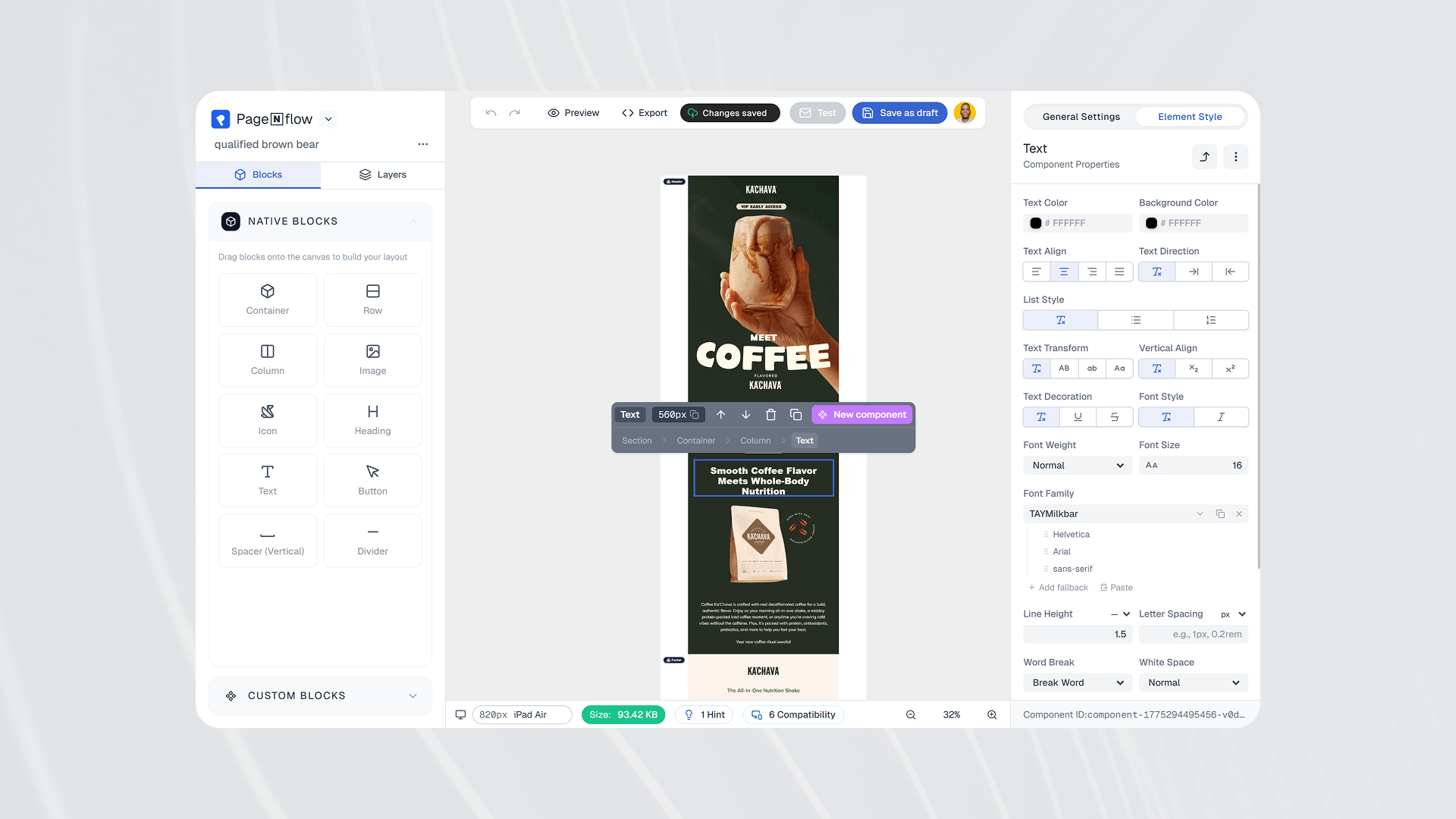 PagenflowApril 19, 2026
Ready to build your next email template?
Drag, drop, done. Build pixel-perfect, responsive emails in minutes — no HTML wrestling required.
No credit card required
Tested across Gmail, Outlook, Apple Mail & more.