

What is an HTML Email Editor?
In today's digital marketing landscape, sending plain text emails just doesn't cut it anymore. This is where HTML email editors come into play – but what exactly are they, and why are they essential for modern email marketing?

Understanding HTML Email Editors
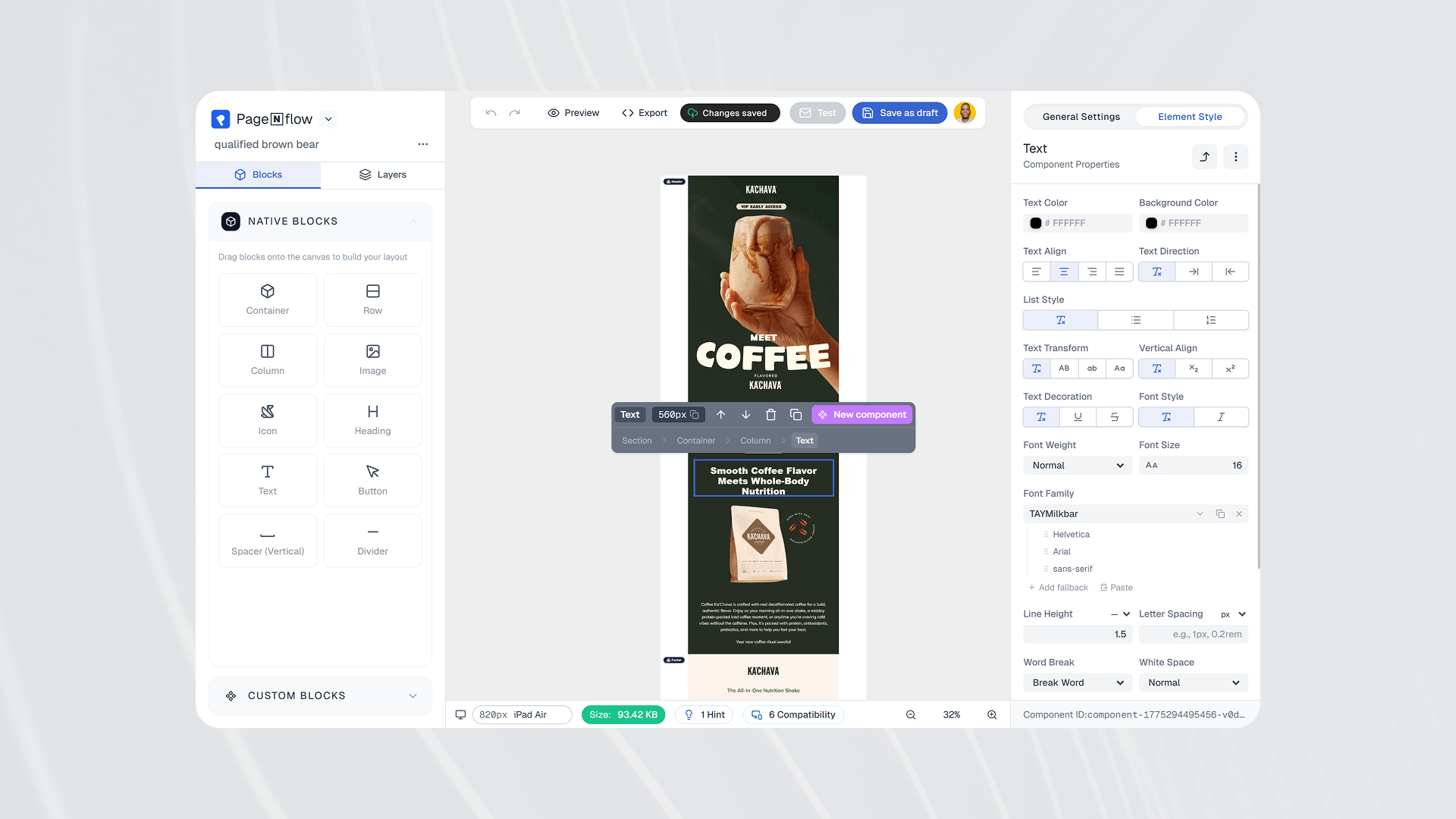
An HTML email editor is a software tool that allows users to create visually appealing and professionally designed emails using HTML (Hypertext Markup Language) without needing to write code manually. These editors typically offer a user-friendly interface with drag-and-drop functionality, making it easy for both beginners and professionals to create stunning email campaigns.
Key Features of HTML Email Editors
Visual Drag-and-Drop Interface
Intuitive design tools
Pre-built components and sections
Easy element positioning and arrangement
Responsive Design Capabilities
Mobile-friendly templates
Multi-device preview options
Automatic responsive adjustments
Template Management
Pre-designed templates
Custom template creation
Template storage and organization
Rich Media Support
Image integration
Video embedding
Social media buttons
Interactive elements
Why Use an HTML Email Editor?
1. No Coding Required
Gone are the days when you needed to be proficient in HTML and CSS to create professional-looking emails. Modern email editors handle all the technical aspects behind the scenes.
2. Consistent Branding
Email editors help maintain brand consistency by allowing you to save your brand colors, fonts, and styling preferences for future use.
3. Time Efficiency
With pre-built templates and components, you can create professional emails in minutes rather than hours.
4. Better Engagement
Visually appealing emails tend to generate higher engagement rates compared to plain text messages.
Example of HTML Email Code
Here's a simple example of what HTML email code looks like behind the scenes:
<!DOCTYPE html>
<html>
   <head>
      <meta charset="utf-8">
      <meta name="viewport" content="width=device-width, initial-scale=1">
      <title>Welcome Newsletter</title>
   </head>
   <body style="margin: 0; padding: 0; background-color: #f4f4f4;">
      <table role="presentation" style="width: 100%; border-collapse: collapse;">
         <tr>
            <td align="center" style="padding: 40px 0;">
               <table role="presentation" style="width: 600px; background-color: #ffffff; border-radius: 8px;">
                  <tr>
                     <td style="padding: 20px;">
                        <h1 style="color: #333333; font-family: Arial, sans-serif;">Welcome to Our Newsletter!</h1>
                        <p style="color: #666666; font-family: Arial, sans-serif; line-height: 1.6;"> Thank you for subscribing to our monthly updates. We're excited to share our latest news with you! </p>
                        <a href="#" style="display: inline-block; padding: 12px 24px; background-color: #007bff; color: #ffffff; text-decoration: none; border-radius: 4px;">Read More</a>
                     </td>
                  </tr>
               </table>
            </td>
         </tr>
      </table>
   </body>
</html>
Popular HTML Email Editors
Several popular email editors are available in the market:
Known for its user-friendly interface
Extensive template library
Powerful automation features
Advanced design capabilities
Drag-and-drop interface
Excellent template management
Focused on email design
Rich template collection
HTML code export options
Best Practices When Using HTML Email Editors
Keep it Simple
Don't overcrowd your designs
Use clear hierarchy
Maintain white space
Optimize for Mobile
Test on different devices
Use responsive templates
Consider thumb-friendly buttons
Test Before Sending
Preview across email clients
Check all links and buttons
Send test emails
Conclusion
HTML email editors have revolutionized the way businesses approach email marketing. They provide an accessible way to create professional, engaging emails without technical expertise. Whether you're a small business owner or a marketing professional, these tools can help you create emails that stand out in your subscribers' inboxes.
Remember, the key to successful email marketing isn't just about creating beautiful designs – it's about delivering value to your audience in a visually appealing and accessible way. An HTML email editor is simply the tool that makes this possible.
PagenflowApril 19, 2026 PagenflowApril 19, 2026
Ready to build your next email template?
Drag, drop, done. Build pixel-perfect, responsive emails in minutes — no HTML wrestling required.
No credit card required
Tested across Gmail, Outlook, Apple Mail & more.